How to Transfer Balance in Ncell: Code, Limits & Fee
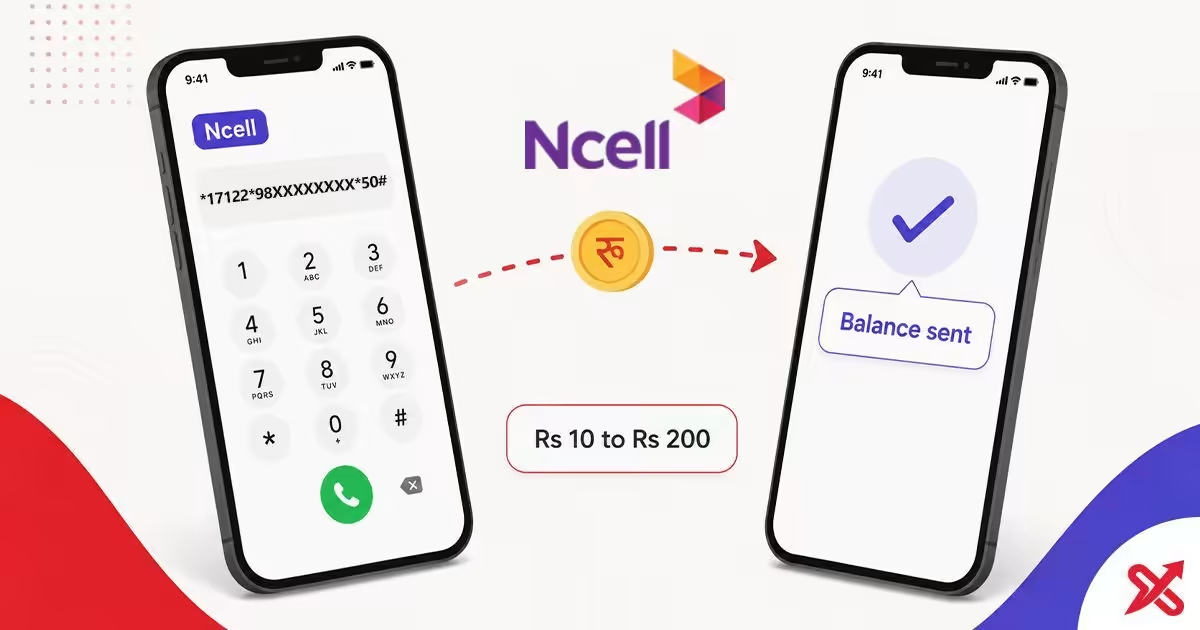
You can move balance between Ncell numbers with a single dial. Type *17122*98XXXXXXXX*Amount# from your Ncell SIM, press call, and confirm. To send Rs 100 to 9801234567, dial *17122*9801234567*100#. The balance moves in seconds, the recipient gets an SMS, and the service costs Rs 1.27 per transfer including tax.
Run low on balance and the recharge shop is closed? A friend or family member with an Ncell prepaid SIM can top you up from their phone in a single dial. The transfer works between Ncell numbers only, needs no security code, and has no app to install. A successful transfer needs an amount between Rs 10 and Rs 200, a sender SIM at least 15 days old, and a recipient number you read back twice before you press call.
💡 Key Takeaways
- Send Ncell balance with *17122*98XXXXXXXX*Amount#, the official code with no security code required.
- Keep each transfer between Rs 10 and Rs 200, up to 3 per day, at Rs 1.27 including tax.
- Fix a failed transfer by checking the number, the amount range, the daily cap and the SIM age before you call 9005.
Ncell Balance Transfer Code: *17122# in 3 Steps
Ncell publishes the balance transfer code *17122#. You enter the recipient's 10-digit number and the amount in the same dial, which keeps the flow to three steps. Ncell also accepts the shorter form *133*ReceiverNumber*Amount# if you prefer it.
- Open the dialer and type
*17122*98XXXXXXXX*Amount#. Replace the digits with the recipient's Ncell number and the amount you want to send. - Press the call button and wait for the confirmation prompt.
- Confirm the transfer, and the balance moves out of your account.
Sending Rs 100 to 9801234567, for example, means dialing *17122*9801234567*100#. The recipient then receives an SMS confirming the transferred amount. Ncell's balance transfer page carries the same code, and you do not need a security code for it, which sets the service apart from the NTC process described later.
Ncell Transfer Limits and Fee
Every transfer must stay inside Ncell's published range. Send below Rs 10 or above Rs 200 and the network rejects the request. The same ceiling applies to volume: three transfers per day is the cap, so a larger amount in one dial beats splitting it into two.
| Limit | Value |
|---|---|
| Minimum per transfer | Rs 10 |
| Maximum per transfer | Rs 200 |
| Transfers per day | Up to 3 |
| Fee per transfer | Rs 1.27 including tax (base Re 1 excluding tax) |
| Transfer between | Ncell prepaid numbers only |
| Sender SIM age | At least 15 days |
| Security code | None needed |
The fee is Rs 1.27 per transfer including tax, which works out to a base Re 1 service charge. The sender SIM must be at least 15 days old, a rule Ncell states on its balance transfer page and one that keeps brand-new SIMs out of the service.
No Security Code Needed: Ncell vs NTC
The clearest difference between the two networks is the security code. NTC asks you to set one up through 1415 and then enter it with every transfer. Ncell skips the step entirely, so an Ncell transfer is one dial with nothing to remember.
| Item | Ncell | NTC |
|---|---|---|
| Transfer code | *17122*Number*Amount# | *422*SecurityCode*Number*Amount# |
| Security code | None | Yes, from 1415 |
| Setup before first transfer | No | SMS to 1415 first |
If you use NTC, the flow differs enough that the codes do not carry across. The steps, the security code setup and the limits for NTC sit in a separate guide, so follow the NTC balance transfer guide instead of dialing the Ncell code on an NTC SIM.
What Happens After You Transfer
Your balance drops by the transferred amount plus the Rs 1.27 fee, and the recipient's balance rises by the full amount. Ncell sends the recipient an SMS confirming the transfer, so both sides hold a record without opening an app.
There is no reverse button. Once you confirm, the balance leaves your account, so read the recipient's number twice before pressing call. A number you type correctly but that belongs to the wrong person sends the balance to that person, and Ncell support cannot pull it back after the fact.
Keep the confirmation SMS too. If the recipient says the balance did not arrive, that message, plus the recipient's own SMS, gives Ncell support the details they need to trace the transfer.
A transfer to a friend in the same town and one to a student in another city behave the same way, because the service ignores geography. What bounds it is the network, the amount, and the daily cap. A second transfer on the same day works when you still have two of the three daily slots left, and the fee applies again.
Why the Transfer Failed: Fixes
Most failed transfers come from a small set of causes, and each one has a fix you can apply before you redial.
- Typo in the recipient's 10-digit number. Recheck the digits, then dial again.
- Amount below Rs 10 or above Rs 200. Pick an amount inside the range.
- More than 3 transfers already done today. The daily cap resets at midnight.
- Sender SIM younger than 15 days. The rule applies to the SIM, not the number.
- Low sender balance. Keep at least the amount plus Rs 1.27 available.
- Recipient not on Ncell prepaid. Ncell to NTC transfers do not exist.
Dial 9005 for customer care from your Ncell SIM, 9007 if you hold a Pro or Biz number, and 9809005000 from another network. Describe the exact code you dialed and the error message, and support can tell you which limit you hit. The network also rejects a transfer when your balance holds less than the amount plus the fee, so top up first and then redial. When the message names a number, check that you did not swap two digits or type a landline prefix instead of the 98 series. Before you transfer to a number you have not used before, check whose name it is registered to with the steps in the Ncell and NTC SIM owner name guide.
Ncell Balance Check and Other USSD Codes
The same network runs a few related codes that pair well with balance transfer. Check your balance before you send, so you never dial a transfer you cannot fund.
| Service | Code |
|---|---|
| Balance transfer | *17122*98XXXXXXXX*Amount# |
| Alternative transfer | *133*ReceiverNumber*Amount# |
| Check main balance | *901# or *101# |
| Balance by SMS | Blank SMS to 90011 |
| Data balance | *17123# or SMS S to 17123 |
| Customer care | 9005 (9007 for Pro/Biz, 9809005000 from other networks) |
Checking balance with *901# returns your main balance, bonus balance and validity on screen. The SMS route to 90011 works on feature phones that cannot read USSD output. If you need your own Ncell number for a registration form, the steps are in the how to check your Ncell number guide.
Keep the code saved in your notes and the limits in mind, and topping up a friend takes one dial. If you carry an NTC SIM as well, look up your own NTC number with the *9# code before you hand it out for a recharge.
Frequently Asked Questions
How do I transfer balance in Ncell?
Dial *17122*98XXXXXXXX*Amount# from the Ncell SIM, press call, and confirm. A confirmation text reaches the recipient when the balance lands.
Does Ncell balance transfer need a security code?
No. Ncell allows direct transfers without any PIN or security code, unlike NTC which requires requesting a passcode from 1415.
What is the maximum balance I can transfer in Ncell?
You can transfer between Rs 10 and Rs 200 per transaction, up to 3 transfers per day between Ncell prepaid numbers.
Does Ncell charge for balance transfer?
Yes. Ncell charges Rs 1.27 per transfer including tax (base fee Re 1 excluding tax). Verified on the Ncell Balance Transfer page (Aug 2026).
Can I transfer balance from Ncell to NTC?
No. Transfers work exclusively between Ncell prepaid SIMs. Cross-network transfers to NTC are not supported (NTC subscribers use *422# instead).
Why does my Ncell balance transfer fail?
Common causes: a typo in the recipient's 10-digit number, sending below Rs 10 or above Rs 200, exceeding 3 transfers per day, a SIM younger than 15 days, or low sender balance. Dial 9005 for support.
Is there an Ncell balance transfer app?
No dedicated app exists. You can complete transfers on any mobile phone using the *17122# USSD dial string without downloading anything.
Can I check Ncell balance with a code?
Yes. Dial *901# (or *101#) from your Ncell SIM, or send a blank SMS to 90011 to receive your main balance, bonus balance, and validity by text.

SajiloX
SajiloX creates practical online tools and guides for everyday digital tasks. Our content includes step-by-step tutorials, useful comparisons, and clear explanations designed to help you complete tasks and make informed choices. We focus on accurate, practical information, with testing and verification included when applicable.


