How to Check Your NTC Number: Balance & Data USSD Codes
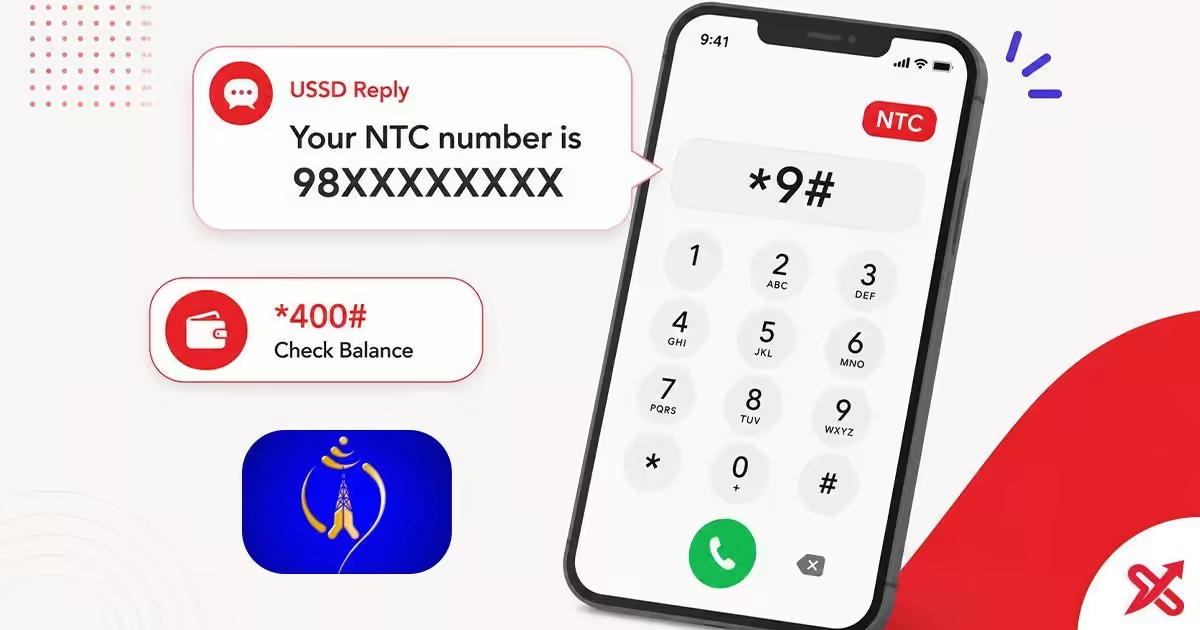
Dial *9# from the NTC SIM in your phone and press call, and the network returns your mobile number on the screen within moments. The code is free and works without internet, and you do not need the app, a login, or any balance to read the result.
A fresh SIM from the NTC counter, a phone reset, or a dual-SIM swap can leave your own number out of reach at the moment you need it. Registration forms for the Nagarik App and many government services ask for it by name. Dialing one code takes ten seconds, while hunting through settings can take far longer.
This guide covers the number check, the main balance check, the data balance check, the official Nepal Telecom app, and the fixes when a code does not answer. You also get a quick-reference table of the codes that matter. Look up your Ncell number with the *903# code when you carry that operator instead.
💡 Key Takeaways
- Dial *9# from the NTC SIM to see your own mobile number, free and without internet.
- Check main balance with *400# and data balance with *1415*55# or SMS VL to 1415.
- Get fixes for codes that fail, plus the official Nepal Telecom app and 1498 customer care.
USSD Code to Check Your NTC Number
USSD stands for Unstructured Supplementary Service Data, and NTC delivers it as a dial code on any phone, including basic models without apps. Dial *9#, press call, and the network sends back your number as a text-style reply that flashes on the screen. NTC lists the code on its official Useful Short Codes page, and the check stays free, so dialing it never touches your main balance.
Run the check in four steps:
- Open the phone dialer from the home screen.
- Type
*9#exactly as written, with the star and the hash. - Press the call button and wait for the reply.
- Read the number that appears and save it to your contacts.
The reply arrives within a few seconds and shows the 10-digit NTC number in plain text, formatted like 9841234567. The result does not stay on screen long, so note it down or save it before the message clears. A second dial costs nothing, so you can repeat the check whenever the number slips your mind.
What You See When You Dial
The reply names the code and displays your result immediately. Dialing *9# shows "Your NTC number is 9841234567" with an exit prompt. Dialing *400# lists your main balance, bonus balance, and account expiry date on the same pop-up screen.
Dual-SIM phones require one quick check. USSD codes run on whichever SIM initiates the call. Make sure to select the NTC SIM slot in your call settings before dialing. Dialing from an Ncell slot triggers a network error because NTC codes belong exclusively to Nepal Telecom.
The balance screen splits funds into two categories. Your main balance covers calls, data, and packages across all networks. Bonus balance applies only to on-net (NTC to NTC) services. The network spends your bonus balance first. Even with zero main balance, an active bonus balance still lets you call NTC numbers.
USSD replies pop up as on-screen overlays rather than saved text messages. Because they clear automatically, copy the number on a smartphone or write it down on a basic phone before closing the screen. Replies land in a few seconds under strong coverage, but may lag in low-signal areas—wait for the pop-up before canceling.
Check NTC Balance with *400#
Dial *400# and press call to see your NTC main balance, your bonus and gifting balance, and the validity of your account in one reply. The code is free and works on the same USSD channel as the number check, so no data pack is needed.
| Method | What it shows |
|---|---|
*400# (USSD) | Main balance, bonus balance, gifting balance, account validity |
| 1415 self-care menu | Balance and services inside one menu |
| NTC App | Main balance, bonus balance and validity on the dashboard |
The reply shows the numbers as Nepali rupees. The validity line tells you the date your account expires without a recharge, which matters when you travel or keep a spare SIM for family members. A number left idle past that date may stop answering USSD until the next top-up. You can dial *400# from any phone with the NTC SIM inside, including a basic model without a touch screen, because the reply uses the same text channel as the number check.
Check NTC Data Balance with 1415
Dial *1415*55# and press call to see the megabytes and gigabytes left in your active data pack, along with the expiry date. The same check works by SMS: type the letters VL and send them to 1415. Both methods run without internet.
A common mix-up: *1415# alone opens the offers and packages menu, which shows deals but does not return your remaining data. For the data figure, dial *1415*55# or send VL to 1415. Keep the full code saved in your contacts so you do not land in the menu by mistake.
| Method | What it returns |
|---|---|
*1415*55# (USSD) | Remaining MB/GB and expiry of the active pack |
| SMS VL to 1415 | The same data balance as a text reply |
| NTC App | Data usage, remaining quota and expiry on the dashboard |
The two checks serve different moments. Use the USSD code or the SMS when you want an answer in seconds. Open the app when you want the full picture, because the dashboard shows data usage trends and the expiry of every pack in one place. Recharge a new pack and the remaining quota updates to match it, while the expiry follows the latest activation.
Check Your NTC Number in the NTC App
The official Nepal Telecom app shows your number and your balance on the dashboard the moment it opens. The developer listed on the store is Nepal Telecom (Nepal Doorsanchar Company Limited), so you can confirm you install the right app. Get the official Nepal Telecom app from Google Play.
The app needs a data connection and a one-time login, which makes it a poor first choice when you have no internet. It works well as a full dashboard, since it also shows data usage, recharges and offers beside the number and balance. Log in once and the number stays on the same screen as your balance, which makes the app a solid backup for the USSD codes.
Why the Code Is Not Working: Fixes
A USSD code fails for a handful of predictable reasons, and most clear up within a minute.
- Check the SIM slot. Dial from the NTC slot on a dual-SIM phone, or the code runs against the other operator.
- Type the code exactly. A missing star or a stray space between digits sends garbage to the network.
- Confirm you have signal. USSD needs the network, so move to a spot with coverage and try once more.
- Rule out an expired SIM. A number that stays unrecharged for months may stop answering USSD.
- Fall back to another channel. When
*9#will not answer, open the NTC App or call1498for help.
Most failures come from the SIM slot, so check that first before you assume the code is wrong. On international roaming, USSD behavior changes, and the app or a call to 1498 gives a clearer answer than the dialer.
Dial 1498 from the NTC number when none of the fixes work, and customer care answers free. The agent can confirm the status of your SIM directly. No code shows another person's number, and no website reads it either; both USSD and the app work on your own SIM only.
NTC USSD Codes Quick Reference
Keep this table in your phone notes and you skip the search the next time a form asks for a number.
| Task | Code or method | What you get |
|---|---|---|
| Check your NTC number | *9# | Your 10-digit mobile number |
| Check main balance | *400# | Main balance, bonus balance, validity |
| Check data balance | *1415*55# or SMS VL to 1415 | Remaining MB/GB and expiry |
| Browse offers and packages | *1415# | Deals menu, not a balance figure |
| Customer care | 1498 | Free support from an NTC agent |
You now have the three codes that answer most NTC questions: *9# for your number, *400# for balance, and *1415*55# for data. A low balance on one number is easy to fix: move balance to another NTC number with the transfer guide, and verify the owner name on an NTC or Ncell SIM with the *922# guide. Codes change when NTC updates its service menu, so a fresh look at the official page once a year keeps your notes current.
Frequently Asked Questions
How do I check my NTC number?
Dial *9# from the NTC SIM, press call, and your number flashes on the screen in a few seconds. The code is free.
What code checks NTC balance?
Dial *400# and press call. You can also use the NTC App or the 1415 self-care service.
Can I check my NTC number without the SIM card?
No. USSD codes run on the SIM, so you need the NTC SIM in a phone to see your own number. The NTC App can show it after you log in on that SIM.
Is checking NTC balance free?
Yes. Dialing *9# or *400# does not charge you, and the balance-inquiry SMS services are free as well.
How do I check my remaining NTC data?
Dial *1415*55# and press Call, or send the SMS text VL to 1415. The NTC App also shows remaining MB/GB and expiry on its dashboard.
Why is my NTC code not working?
Confirm you are dialing from the NTC SIM (check the slot selected on a dual-SIM phone), that you typed *9# exactly, and that you have signal. If it still fails, dial 1498 for customer care.
Can I check NTC balance without internet?
Yes. USSD codes and SMS run over the cellular network, which needs no internet. Only the NTC App and the self-care website need data.
What number do I call for NTC help?
Dial 1498 from your NTC number for free customer care.

SajiloX
SajiloX creates practical online tools and guides for everyday digital tasks. Our content includes step-by-step tutorials, useful comparisons, and clear explanations designed to help you complete tasks and make informed choices. We focus on accurate, practical information, with testing and verification included when applicable.


