How to Check SIM Owner Name on NTC & Ncell: USSD Codes & Steps
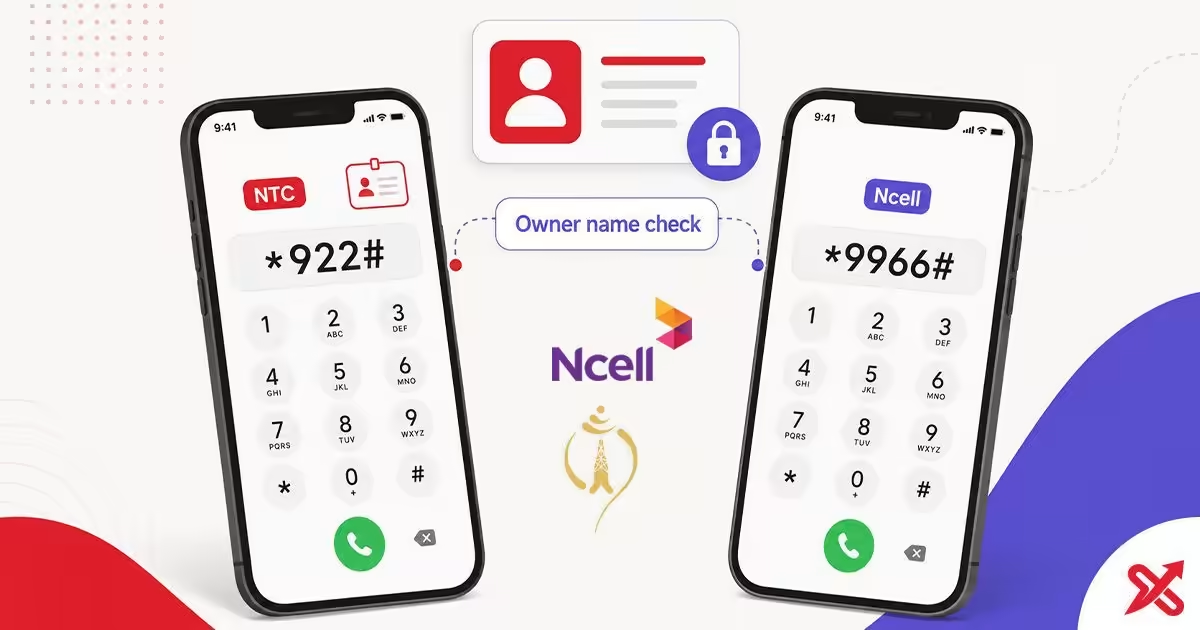
Dial *922# on your NTC SIM or *9966# on your Ncell SIM to instantly check the registered owner name for that number. Both USSD checks work exclusively on the active SIM inside your phone, allowing you to verify your own account details for free.
If the number was registered under a shop, reseller, or another person, you will need to fix the KYC at the operator store. This page walks through the official codes, the app method, and the steps to re-register a SIM that is not in your name.
💡 Key Takeaways
- Check your own NTC SIM owner name by dialing *922# and your Ncell owner name by dialing *9966#.
- Learn why no legitimate code or website can look up another person's SIM owner name.
- Re-register a SIM that is not in your name at the operator store with your citizenship certificate.
Check Your Own NTC SIM Owner Name
NTC lists the owner-name check on its official useful short codes page as "Check Your SIM Owner". To use it, open the dialer on the phone that holds your NTC SIM and type *922#.
- Open the dialer on the phone that has your NTC SIM.
- Type
*922#and press the call button. - Read the registered name that appears on screen.
If the name matches yours, the SIM is registered correctly. If it shows a shop name or another person, the KYC record is tied to the wrong owner and the SIM needs re-registration.
Check Your Own Ncell SIM Owner Name
Ncell documents the same check on its official contact and SIM FAQ page. Use the code *9966# from the handset that holds your Ncell SIM.
- Open the dialer on the phone with your Ncell SIM.
- Type
*9966#and press the call button. - Read the registered owner name shown in the reply.
A matching name means the number is linked to the right person. If the name is different, the SIM was registered incorrectly and you should visit the Ncell store to fix it.
Why You Cannot Check Another Person's SIM Owner Name
There is no public code, official website, or mobile app that lets you check the registered owner name of a number you do not hold. Telecom data in Nepal is private, and operators share it only with the actual SIM holder or the authorized person handling the account.
Owner names sit in the same privacy layer as your ID details and SIM registration records. The Nepal Telecommunications Authority controls SIM registration, and operators are expected to protect that data. Any site or service claiming to reveal another person’s owner name is either fake or trying to harvest your own details.
The straight answer is simple: you can verify your own SIM, and you cannot verify someone else’s. If you need a fix, the legal path is re-registration through the operator.
Your SIM Is Not in Your Name? Re-Register It
If a SIM was bought from a shop and the shop’s KYC was used instead, the number may work but the ownership record is wrong. That can cause problems during renewals, account updates, or disputes over the number.
- Take the SIM, an original identity document such as a citizenship certificate, driving license, or passport, and a passport-size photo to the operator’s store or care center.
- Ask the staff to re-register the number in your name.
- For Ncell, you may need to provide more than 10 numbers you have dialed frequently from that SIM in the last six months so the operator can match the call history.
- Complete the new KYC form and wait for the update to reflect. The re-verification process is free of cost.
Operators handle this under the NTA SIM registration system, which requires each active SIM to match the real holder’s identity. Once the record is moved to your name, the reply from *922# or *9966# will match your own information.
Check Owner Name in the Official Apps
You can also check the registered name through the official operator apps. The Nepal Telecom app shows the linked account holder on the dashboard, and the Ncell app displays the registered name on the home screen after login.
Always use the official app from the operator’s name in Google Play or the official website. A fake app with the same icon can steal your OTP or personal details, so verify the publisher before you install anything.
The app check works only when the SIM is in the phone, because the operator verifies the number through the connected SIM. That keeps the process private and secure.
Avoid Lookup Sites That Promise Owner Names
Any site claiming it can reveal the owner name of a phone number is not offering a real service. They are usually collecting personal details such as your phone number, OTP, or citizenship photo in exchange for a fake result.
Look for the warning signs: a countdown timer, a premium fee, a forced app download, or a request for your OTP or identity documents. None of that is part of a legitimate operator flow, because no legitimate flow exists for someone else’s SIM data.
You already have the only official options. Use *922# for NTC, *9966# for Ncell, or check the operator app while the SIM is in your phone.
NTC and Ncell Codes Quick Reference
Here is the quick reference for the most common owner-name and account checks.
| What you want | NTC | Ncell |
|---|---|---|
| SIM owner name | *922# | *9966# |
| Your mobile number | *9# | *903# or *103# |
| Main balance | *400# | *901# or blank SMS to 90011 |
| Data balance | *1415*55# or SMS VL to 1415 | *17123# or SMS S to 17123 |
| Customer care | 1498 | 9005 |
You can pair this with the related SajiloX guides for your own number and balance checks: NTC number and balance guide, Ncell number and balance guide, and the NTC balance transfer guide.
Frequently Asked Questions
How do I check the SIM owner name on my NTC number?
Dial *922# on the NTC SIM, press call, and the registered name appears on screen. You can check your own SIM only.
How do I check the SIM owner name on my Ncell number?
Dial *9966# on the Ncell SIM, press call, and the reply shows the registered name. The check works only on the number you hold.
Can I check the owner name of another person's SIM by number?
No. There is no legitimate code or website that reveals another person's SIM owner name. Telecom data is private, and any site promising this is a scam.
Why can't I check SIM owner name online?
Owner names are personal data held by the operators and the regulator. Operators release it only for the number you hold, so a public lookup does not exist.
Can I check the SIM owner name without the SIM card?
No. The USSD codes need the SIM in the phone, and the apps need the number verified through the SIM. Without the SIM, you cannot complete the check.
My SIM is registered in someone else's name. What do I do?
Visit the operator store or care center with an original document and a passport-size photo, and ask to re-register it in your name. Ncell may also ask you to provide more than 10 numbers you dialed frequently from the SIM in the last six months.
What if the owner-name code shows nothing?
Check that you dialed from the correct SIM, select the right slot on a dual-SIM phone, and confirm you have signal. If it still fails, call NTC care 1498 or Ncell care 9005.
Are the lookup websites safe to use?
No. Any site that claims it can reveal the owner name for a number you do not hold is a data-harvesting or phishing operation. Never enter your phone number, OTP, or personal documents there.

SajiloX
SajiloX creates practical online tools and guides for everyday digital tasks. Our content includes step-by-step tutorials, useful comparisons, and clear explanations designed to help you complete tasks and make informed choices. We focus on accurate, practical information, with testing and verification included when applicable.


