How to Transfer Balance in NTC: Code, Security Code & Limits
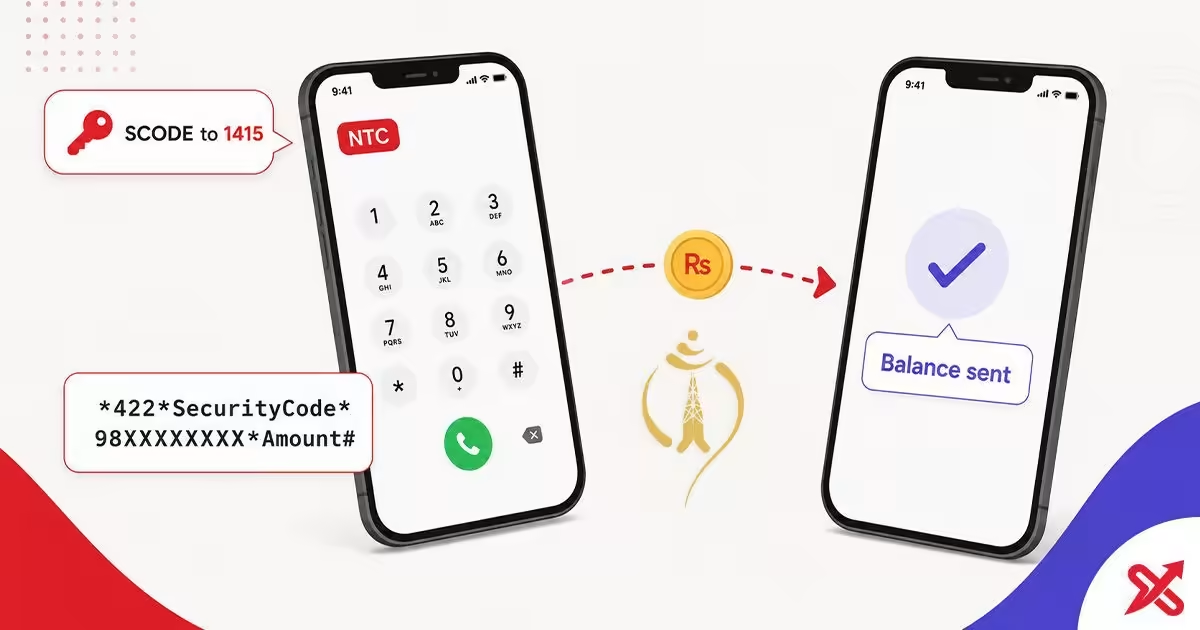
You transfer balance in NTC with a single dial code. Type *422*SecurityCode*RecipientNumber*Amount# from the NTC SIM you are sending from, press the call button, and confirm the prompt. To send Rs 100 to 9801234567 with the security code 12345678, you dial *422*12345678*9801234567*100#. NTC allows transfers between prepaid NTC numbers only, from Rs 10 to Rs 500 per transfer and a maximum of 20 transfers a day.
A security code (SCODE) protects every transfer. NTC sends it to your number by SMS when you send the text SCODE to 1415. Get that code before you start, keep it in your messages, and the whole transfer takes under a minute. Parents top up students away from home, friends help during an emergency, and people in areas without a recharge shop rely on it. This guide covers the code, the security-code step, the limits, the fee, and the errors that stop a transfer.
💡 Key Takeaways
- Dial *422*SecurityCode*98XXXXXXXX*Amount# from the sending NTC SIM and confirm to complete a transfer.
- Get the 8-digit security code free by sending the text SCODE to 1415, and keep it for every transfer.
- Transfers run from Rs 10 to Rs 500, up to 20 a day, with no service charge, between NTC prepaid numbers only.
NTC Balance Transfer Code: *422# in 3 Steps
The transfer code has four parts. *422 starts the service, then come the security code, the recipient's 10-digit NTC number, and the amount in rupees. The network reads the code in that order, so each part must sit in the right slot.
- Open the dialer on the phone that holds the sending NTC SIM and type the full code, replacing the security code, the recipient number and the amount.
- Press the call button and wait for the confirmation screen that shows the recipient number and the amount.
- Confirm the transfer. Your balance drops by the amount, and the recipient gets an SMS when the balance arrives.
A concrete example keeps the format clear. With the security code 12345678, sending Rs 100 to 9801234567 means dialing *422*12345678*9801234567*100# and confirming. Type the recipient's full 10-digit number, since NTC reads the code exactly as you dialed it. The code and the limits on this page come from NTC's official balance transfer page.
You dial the complete code in one step. Prepare the code before you open the dialer, because the confirmation prompt appears as soon as you press call.
Get the Security Code (SCODE) First
The security code is an 8-digit number that NTC labels SCODE. You request it through a single SMS, note it down, and place it in the transfer code where the format says SecurityCode. The recipient number and the amount fill the other two slots.
- Open the SMS app on the NTC number that will send the balance.
- Create a new message with the text
SCODE, with no other letters, spaces or symbols. - Send it to
1415. - Wait for the reply. NTC answers by SMS with an 8-digit code, and the message is free.
There is no dial menu that issues the security code. NTC delivers it only through the SMS reply from 1415, so keep the message and copy the code into your notes. The short code 1415 sits on the official NTC short codes list. If the reply does not arrive, check the spelling of the word and confirm you sent it from the NTC SIM, not a second SIM in the same phone.
How to Transfer Balance in NTC Without a Security Code
You cannot transfer balance in NTC without the security code. NTC requires it on every transfer, and no dial code, app or workaround skips the step. The fix is short: request the code from 1415, then dial the transfer code as usual.
The security-code prompt stops most people on the first attempt. They dial *422*98XXXXXXXX*100#, get asked for a code they do not have, and give up. The prompt appears because the code is mandatory. Request it by SMS, and the transfer goes through.
Keep the code with your SIM details once you have it. A transfer later in the week uses the same code, and you only repeat the 1415 step if you lose the message. Once the code sits in your notes, the rest of the flow is the same dial-and-confirm routine.
NTC Balance Transfer Limits and Charges
NTC caps each transfer and the number of transfers per day. The limits protect the service and apply to every NTC prepaid number, and the table below gives the current values.
| Detail | NTC value |
|---|---|
| Minimum per transfer | Rs 10 |
| Maximum per transfer | Rs 500 |
| Transfers per day | Up to 20 |
| Service charge | Free, no per-transfer fee |
| Eligible networks | NTC prepaid to NTC prepaid |
The transfer itself is free. NTC does not list a per-transfer service charge on its balance transfer page, so the full amount leaves your balance and the full amount reaches the recipient. You still need enough balance to cover the amount, because the money comes from your main balance in a single move.
NTC does not support balance transfer to Ncell numbers. Cross-network transfers do not exist on the current service, so a friend on Ncell needs their own operator's method. The comparison section below lists the Ncell code.
What Happens After You Transfer
The recipient gets an SMS notification the moment the balance lands on their number. The message shows the amount received, so both sides have a written record of the transfer.
Your balance reduces by the amount you sent, and no extra charge appears because the transfer is free. If the recipient says no message arrived, check the number you typed. A transfer to a wrong but similar number completes and cannot be reversed by dialing a cancel code.
Most transfers arrive within seconds on the same network. Rural areas with weak signal may see a short delay, and the SMS confirms the moment the balance is usable.
Why the Transfer Failed: Fixes
A failed transfer comes down to one of five causes. Run through the list before you call anyone, and most problems resolve in a minute.
- Wrong security code: request a fresh SCODE from
1415and retype it in the code. - Typo in the recipient number: NTC reads the number exactly as dialed, and one wrong digit sends the balance elsewhere. If you are unsure the number belongs to the right person, verify the SIM owner name before you send.
- Low sender balance: the amount must fit inside your balance, since the transfer is free and no fee is deducted.
- Daily cap reached: NTC allows 20 transfers a day, and further attempts fail until the next day.
- Wrong network: the recipient must be an NTC prepaid number. Ncell and postpaid numbers fail the transfer.
Before you retry, confirm the sending SIM. Dual-SIM phones sometimes place the call from the second card, and the network reads the SIM that initiated the call. If none of these fit, call NTC customer care on 1498 from your NTC number. The call is free, and the agent can check whether your SCODE is active and explain why the network rejects the transfer.
NTC vs Ncell Balance Transfer Codes
NTC and Ncell run separate balance-transfer services with different codes. NTC asks for a security code, and Ncell does not. The two dial strings are not interchangeable.
| Detail | NTC | Ncell |
|---|---|---|
| Dial code | *422*SecurityCode*Number*Amount# | *17122*Number*Amount# |
| Security code | Required, from 1415 | Not required |
| Transfers between | NTC prepaid numbers | Ncell prepaid numbers |
For an Ncell SIM, the transfer code is *17122*98XXXXXXXX*Amount#, and the network does not ask for a security code. You dial the string, confirm the amount, and the balance moves to the Ncell number you entered. The full flow, limits and errors for the other operator are in the guide to transfer balance in Ncell.
Balance transfer works best when you keep the pieces ready: the SCODE saved in your messages, the recipient's full number, and the amount checked against your balance. If you lose track of your own number, check your NTC number before you type it anywhere, and confirm whose name a number is registered under if it does not look familiar.
Frequently Asked Questions
How do I transfer balance in NTC?
Dial *422*SecurityCode*98XXXXXXXX*Amount# from the NTC SIM, press call, and confirm. The recipient gets an SMS when the balance arrives.
How do I get the NTC security code for balance transfer?
Send the SMS text SCODE to 1415. NTC replies by SMS with an 8-digit security code (SCODE) to use in the *422# transfer, and the message arrives free.
Can I transfer NTC balance without a security code?
No. The 8-digit passcode is mandatory for all transactions. Text SCODE to 1415 to receive yours free via SMS before dialing.
What is the maximum balance I can transfer in NTC?
You can transfer between Rs 10 and Rs 500 per transfer, up to 20 transfers per day, between NTC prepaid numbers. Verified on ntc.net.np in August 2026.
Does NTC charge for balance transfer?
No per-transfer charge on the current NTC page. The transfer is free, and you need enough balance to cover the amount you send.
Why does my NTC balance transfer fail?
Common causes: a wrong security code, a typo in the recipient's 10-digit number, sender balance below the amount, or exceeding the 20 transfers per day. Dial 1498 for support.
Is there an NTC balance transfer app?
No dedicated app is required. You can complete transactions on any mobile device via the *422# USSD code without installing software.
What is the difference between NTC and Ncell transfer codes?
NTC uses *422*SecurityCode*Number*Amount# with a security code from 1415. Ncell uses *17122*98XXXXXXXX*Amount# and does not ask for a security code.

SajiloX
SajiloX creates practical online tools and guides for everyday digital tasks. Our content includes step-by-step tutorials, useful comparisons, and clear explanations designed to help you complete tasks and make informed choices. We focus on accurate, practical information, with testing and verification included when applicable.


