Mero Share Login Problems: Invalid Login, Password & Account Errors
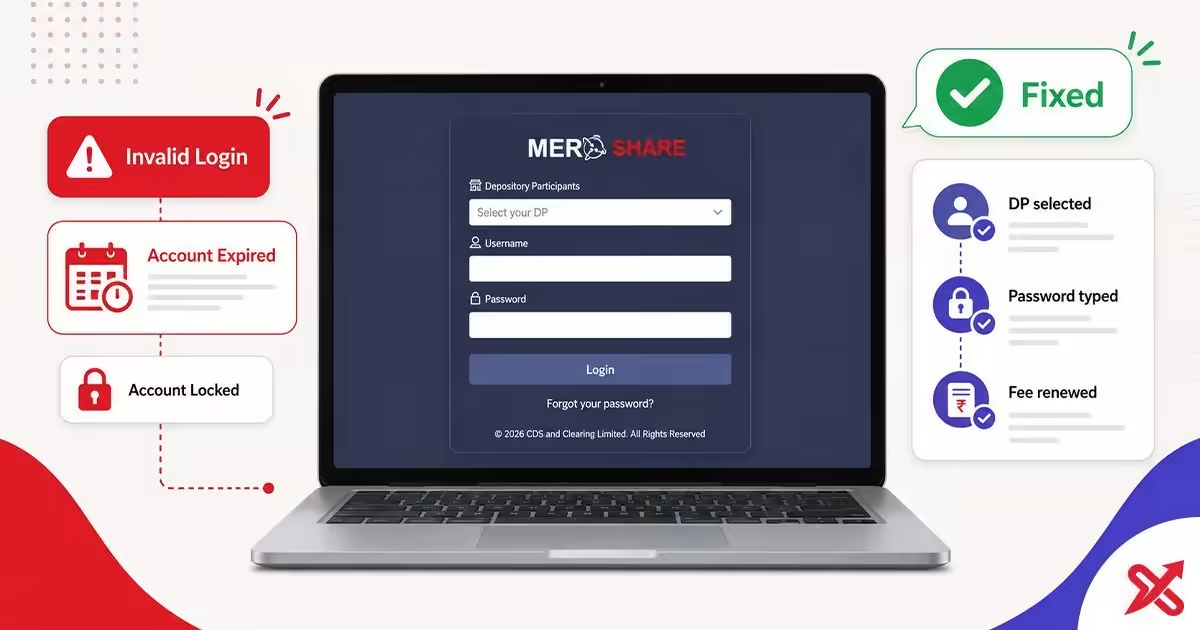
Most Mero Share login problems are caused by a few reasons: selecting the wrong DP in the login dropdown, copy-pasted credentials with a space at the end, an old password saved in the browser, or an expired account due to unpaid fees. Re-select the DP that issued your account, manually type in the BOID and password, and renew the account if it shows as expired. Below are the reasons for each error and how to fix it.
Mero Share is the system CDS and Clearing Limited operates for IPO applications, holdings and share deliveries. The sign-in page at meroshare.cdsc.com.np wants your DP, your username and your password. Your username is usually your 16-digit BOID, and the password is alphanumeric. Work through the message on your screen and you will be back in within minutes, unless the account needs renewal.
💡 Key Takeaways
- Most Mero Share login failures are caused by an incorrect DP in the dropdown, copy-pasted credentials, or an expired account.
- Correct each error in a few minutes: re-select the DP, re-type the BOID and password manually, and renew the account if it shows as expired.
- Contact your DP for BOID, email, and mobile updates, and the CDSC for system-wide issues.
Fix "Invalid Login / User Not Found"
This message means the system cannot match your DP, username and password. The most common cause is the wrong DP in the dropdown. DP codes change after bank mergers, and the code you remember from opening your account may no longer be the one that issued it.
The login screen lists the DPs that run on Mero Share, and you pick the one that issued your demat account. After a merger or rebrand, the same bank appears under a new code or name. Check your demat opening slip for the DP name and match it in the list. That single change clears most invalid-login errors.
Copy-paste causes the second batch of failures. When you paste your BOID or password from a notes app or an SMS, the text often carries a trailing space, and the system reads that space as part of the credential. Type the BOID and the password by hand instead.
Browser-saved passwords cause a third failure. The browser autofills the old password from a previous reset, the system rejects it, and you see invalid login. Clear the saved password for meroshare.cdsc.com.np and type the current one.
- Open the login page and select your DP in the dropdown. Use the name on your demat opening slip, not the code you remember.
- Type your username, usually the 16-digit BOID, by hand.
- Type your password by hand and sign in.
- If the browser filled a stale password, clear the saved credential for the site and type the current one.
If the message persists, verify your BOID on the demat opening slip or the SMS from your DP. One wrong digit breaks the match. The Mero Share terms guide shows where your BOID appears in My Details.
Fix "Your Account Has Been Expired"
This message means the annual fee is overdue. The Mero Share portal fee is Rs 50 a year and the DEMAT fee is Rs 100 a year. CDSC marks the account expired when the fee stays unpaid, and you get in only after renewal.
CDSC stated the fee split and the expiry rule in a notice on cdsc.com.np in July 2026. The system flags accounts as expired when the fee stays unpaid, and renewal clears the flag. Reactivation times differ for the two fees, so plan the renewal before an issue you want to apply for closes.
Renew through eSewa, Khalti, MyPay or FonePay, or visit your DP. The Mero Share and DEMAT renewal guide walks through the payment and the wait times step by step.
- Open eSewa, Khalti, MyPay or FonePay, or go to your DP.
- Choose the Mero Share renewal option.
- Pay the Rs 50 Mero Share fee and the Rs 100 DEMAT fee if both are due.
- Wait for reactivation: Mero Share from near-instantly to 24 hours, DEMAT up to 24 to 48 hours.
- Log in once the account shows active again.
Fix "Account Locked" After Failed Attempts
Several wrong attempts lock the account temporarily. CDSC does not publish the exact attempt count, so the safe move is to stop retrying, wait for the lock to clear, and use the correct password or reset it.
Each failed password tightens the lock. Keep entering variations and you extend the wait, so stop at the first lock message. The lock covers the login password, and it stays separate from the transaction PIN. The 4-digit PIN that confirms IPO applications locks after 3 wrong entries.
A silent logout can look like a lock. The portal ends your session after inactivity, and a fresh login with the same credentials works. A lock is explicit, because the screen tells you the account is locked.
- Stop entering passwords while the lock is active.
- Wait for the lock to clear.
- Log in with the correct password.
- If you do not remember it, reset the password instead of guessing.
- For the transaction PIN, wait after 3 wrong entries before trying again.
Fix "Password Reset Link Not Received"
The reset link goes to the registered email. Request it through the forgot-password flow on meroshare.cdsc.com.np, and the link lands in the inbox your DP has on file.
- Open meroshare.cdsc.com.np and choose Forgot your password.
- Enter your DP, username, registered email and date of birth.
- Submit the request and open the email you registered.
- Click the reset link and set a new alphanumeric password.
Three things stop the email. Spam filters route it to junk, so check the spam folder before requesting again. IPO season slows the mail server, so give it about 15 minutes. A wrong email on file blocks it entirely, and no reset arrives until you fix that.
Fixing the email takes a bank visit. The DP branch updates the registered email against your citizenship, and the change clears the way for future resets. The app may also use the mobile number for verification, so keep that current too.
Without access to the registered email, the portal offers no workaround, because the reset link is tied to that address. Ask the DP to confirm the details on file before you retry.
Fix "Demat Pending" and Inactive Status
Demat pending means your DEMAT account has not finished activation. Two things cause it: the DEMAT fee is unpaid, or the DP has not completed activation. Both are commonly reported, and banks list incomplete information as the usual delay.
The status appears in your account details. Pay the DEMAT fee through your DP or the same payment apps used for renewal, then ask the DP to confirm the activation. Incomplete KYC or mismatched documents slow the process at the DP's end.
The difference between Mero Share and a demat account matters here. Mero Share is the portal, and the demat account is the underlying record. A pending demat account limits the portal even after a successful login.
- Open your account details in Mero Share and read the status.
- Confirm the DEMAT fee is paid, and pay it if it is not.
- Contact the DP and confirm the activation and your KYC.
- Wait for the status to change, then retry your application.
Fix Login Issues in the App vs the Website
The Mero Share app and the website can show different errors. Store reviews report unauthorized and invalid messages in the app while the website logs in fine. The app is usually the problem, not your account.
The app caches data, and a stale cache produces errors the website never shows. An outdated app version also rejects newer sessions. During IPO allotment windows the portal itself can lag, so wait a few minutes and retry before treating it as an account problem.
- Clear the Mero Share app cache in your phone settings.
- Update the app from the Play Store or the App Store.
- Log in again with your DP, username and password.
- If the app still fails, log in on the website to confirm the account is active.
A website that logs in while the app fails means your account is healthy. The fix lives in the app, and the steps above clear the common causes.
Mero Share Error Quick Reference
This table maps each common message to its likely cause and the fastest fix. Use it before you contact anyone.
| Error message | Likely cause | Quick fix |
|---|---|---|
| Invalid Login / User Not Found | Wrong DP in the dropdown, pasted credentials, stale saved password | Re-select the DP, type the credentials by hand, clear the saved password |
| Your Account Has Been Expired | Unpaid annual fee: Rs 50 Mero Share, Rs 100 DEMAT | Renew through eSewa, Khalti, MyPay, FonePay or your DP |
| Account Locked | Several failed login attempts | Stop retrying, wait, then reset the password |
| Transaction PIN Locked | 3 wrong PIN entries | Wait, then enter the correct PIN |
| Password Reset Link Not Received | Spam folder, IPO-season delay, wrong email on file | Check spam, wait about 15 minutes, update the email at the DP |
| Demat Pending | Unpaid DEMAT fee, incomplete activation | Pay the fee and contact the DP |
| CRN Mismatch / Invalid CRN | CRN differs from the bank record | Verify the CRN in the bank app before applying |
| Unauthorized (app only) | Stale cache or outdated app | Clear the cache, update the app, use the website |
Two notes on the table. CRN mismatch is commonly the cause of IPO rejections, so verify the CRN in your bank app before you apply. EDIS transfers fail for a different reason: Mero Share needs your WACC confirmed under My Purchase Source before the delivery processes, and that step sits separate from login.
Keep this page as your first stop when Mero Share refuses you entry. A wrong DP, an unpaid fee or a locked screen rarely needs a bank visit, and the fixes above clear most of them in minutes. If the account shows expired, renew the Mero Share and DEMAT fees online to get back in.
Frequently Asked Questions
Why is my Mero Share login not working?
The most common causes are selecting the wrong DP (codes change after bank mergers), copy-pasted credentials with trailing spaces, a browser-saved old password, or an expired account from unpaid fees. Fix them one by one.
Why does Mero Share say invalid login / user not found?
The system cannot match your credentials. Re-select the correct DP, retype the BOID and password by hand, and verify the 16-digit BOID against your demat opening slip.
Why is my Mero Share account expired?
The annual fee is overdue: Rs 50 for Mero Share and Rs 100 for DEMAT. Renew through eSewa, Khalti, MyPay, FonePay or your DP, then wait up to 24 to 48 hours for reactivation.
How do I reset my Mero Share password?
On meroshare.cdsc.com.np, use Forgot your password, enter your DP, username, email and date of birth, and the reset link arrives on the registered email.
Can I reset Mero Share password without email?
Not through the portal, because the reset link goes to the registered email. If the email is wrong or lost, visit your DP branch with your citizenship to update it or reset the password.
How long does a Mero Share account lock last?
CDSC locks the account after several consecutive failed login attempts, and the lock clears after a while. Stop trying during the lock, then use the correct password or reset it. No official attempt count is published, and the transaction PIN locks after 3 wrong entries.
What does demat pending mean in Mero Share?
Your DEMAT account has not been fully activated, usually because the DEMAT fee is unpaid or the DP has not completed activation. Pay the fee or contact the DP.
Why is my password reset link not received?
Check the spam or junk folder, wait about 15 minutes during IPO season, and confirm the registered email at your bank is correct. If the email is wrong, update it at the DP branch.

SajiloX
SajiloX creates practical online tools and guides for everyday digital tasks. Our content includes step-by-step tutorials, useful comparisons, and clear explanations designed to help you complete tasks and make informed choices. We focus on accurate, practical information, with testing and verification included when applicable.


